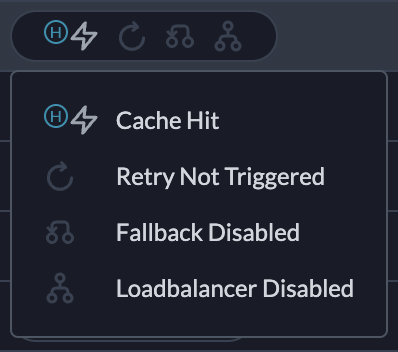

Simple caching available on all plans. Semantic caching on Production and Enterprise.
| Mode | How it Works | Best For | Supported Routes |
|---|---|---|---|
| Simple | Exact match on input | Repeated identical prompts | All models including image generation |
| Semantic | Matches semantically similar requests | Denoising variations in phrasing | /chat/completions, /completions |
Enable Cache
Addcache to your config object:
Caching won’t work if
x-portkey-debug: "false" header is included.Simple Cache
Exact match on input prompts. If the same request comes again, Portkey returns the cached response.Semantic Cache
Matches requests with similar meaning using cosine similarity. Learn more →Semantic cache is a superset—it handles simple cache hits too.
Semantic cache works with requests under 8,191 tokens and ≤4 messages.
System Message Ignored
Semantic cache requires at least two messages. The first message (typicallysystem) is ignored for matching:
user message is used for matching. Change the system message without affecting cache hits.
Cache TTL
Set expiration withmax_age (in seconds):
| Setting | Value |
|---|---|
| Minimum | 60 seconds |
| Maximum | 90 days (7,776,000 seconds) |
| Default | 7 days (604,800 seconds) |
Organization-Level TTL
Admins can set default TTL for all workspaces to align with data retention policies:- Go to Admin Settings → Organization Properties → Cache Settings
- Enter default TTL (seconds)
- Save
- No
max_agein request → org default used - Request
max_age> org default → org default wins - Request
max_age< org default → request value honored
Force Refresh
Fetch a fresh response even when a cached response exists. This is set per-request (not in Config):- Requires cache config to be passed
- For semantic hits, refreshes ALL matching entries
Cache Namespace
By default, Portkey partitions cache by all request headers. Use a custom namespace to partition only by your custom string—useful for per-user caching or optimizing hit ratio:Cache with Configs
Set cache at top-level or per-target:Target-level cache takes precedence over top-level.
Targets with
override_params need that exact param combination cached before hits occur.Analytics & Logs
Analytics → Cache tab shows:- Cache hit rate
- Latency savings
- Cost savings
Cache Hit, Cache Semantic Hit, Cache Miss, Cache Refreshed, or Cache Disabled. Learn more →